
Vibe Coding is the habit of “coding by intent”: you describe what you want in plain English, let an AI generate a draft, then you steer, test, and tighten it until it’s production-worthy.
If that sounds like a shortcut, it can be, but the real value is different: you get faster iteration, clearer thinking, and a second brain for boilerplate, edge cases, and refactors. The risk is also real, copied bugs, mismatched assumptions, and code you can’t maintain because you never fully owned it.

This guide makes the idea usable: what Vibe Coding is (and isn’t), when it works, how to run an AI-assisted coding workflow without losing quality, plus prompts and checkpoints that keep you in the loop.
What “Vibe Coding” really means (and what it doesn’t)
People use the phrase loosely, so it helps to draw a clean line. In practice, Vibe Coding is prompt-driven programming paired with constant verification: you provide context, the model proposes code, and you validate it like you would a junior teammate.
It is not “ship whatever the model says.” It also isn’t limited to beginners. Strong engineers often use natural language to code for scaffolding, test generation, migrations, documentation, and exploring alternative implementations.
- Good Vibe Coding: fast drafts, deliberate constraints, tests first, careful review, small diffs.
- Bad Vibe Coding: giant prompts, giant outputs, no tests, no threat model, no ownership.
According to NIST, secure software development requires risk-based thinking and verification activities across the lifecycle, which maps well to an AI approach only when humans keep control of review and testing.
Why it feels so fast: the mechanics behind the “vibe”
Vibe Coding works because LLMs are unusually good at turning fuzzy intent into structured starting points. That includes naming, glue code, API wiring, and translating patterns across languages or frameworks.
In real teams, speed usually comes from a few repeatable wins:
- Rapid prototyping with AI for screens, endpoints, or CLI utilities.
- Replacing search-and-stitch with “generate then edit.”
- Instant examples for unfamiliar libraries, then you adapt.
- Pair programming with AI when you’re stuck, not when you’re guessing.
But the same mechanism creates failure modes: the model confidently fills gaps, and those gaps are exactly where production bugs live (auth, permissions, concurrency, edge inputs, retries).
Where Vibe Coding fits best (and where it’s risky)
Use Vibe Coding where you can cheaply validate results and where requirements are stable enough to express clearly. Avoid it where mistakes are expensive or hard to detect.
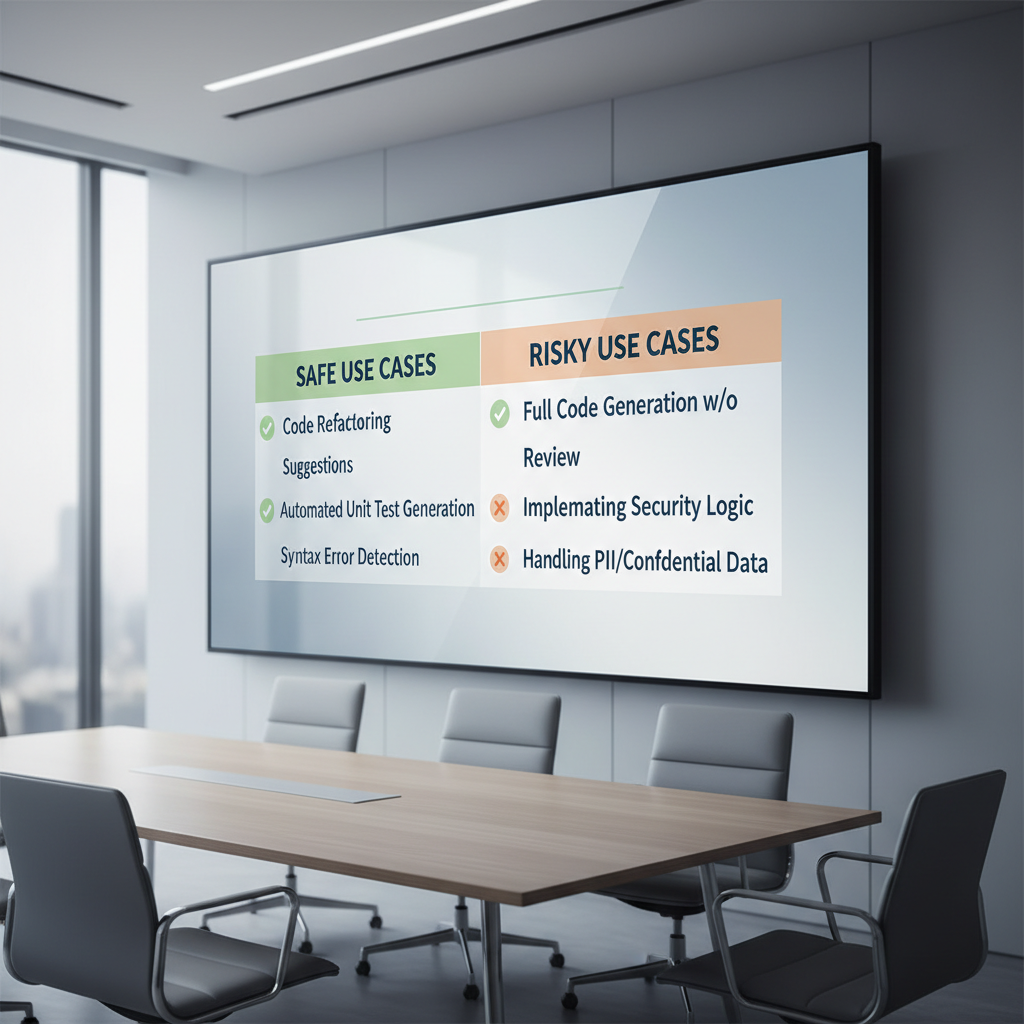
Quick fit-check table
| Scenario | Why it’s a good fit | What to watch |
|---|---|---|
| Scaffolding a feature | Boilerplate-heavy, easy to refactor | Architecture drift, inconsistent patterns |
| Writing unit tests | Fast coverage expansion | Fake assertions, missing edge cases |
| Refactoring | Mechanical transformations | Behavior changes, subtle regressions |
| Security/auth logic | Rarely a good fit without expertise | Silent vulnerabilities, wrong defaults |
| Payments/compliance flows | High-cost mistakes | Regulatory requirements, audit trails |
A practical AI-assisted coding workflow that holds up
The most reliable approach is human-in-the-loop development: the model drafts, you decide. If you want Vibe Coding to feel fast and still be safe, keep the loop tight and outputs small.
Step 1: Write intent like a spec, not a wish
Before you ask for code, write a short “intent block” the model can’t miss. It reduces hallucinated behavior and makes review easier.
- Goal: what success looks like in one sentence
- Inputs/outputs: types, examples, error cases
- Constraints: performance, libraries allowed, style rules
- Non-goals: what not to touch
Step 2: Ask for a plan before code
This is one of the simplest AI coding productivity tips that actually changes outcomes: request a brief plan and file list, then approve or adjust. You’re preventing the “big blob” output problem.
Step 3: Generate small slices, commit often
Keep diffs reviewable. If you can’t explain the change in 20 seconds, the chunk is too big. Many teams treat AI output like external code: integrate in small merges.
Step 4: Verify with tests and runtime checks
Validation beats vibes. Have the model propose tests, but you own the assertions and coverage decisions.
- Unit tests for edge inputs and error paths
- Integration tests for I/O boundaries
- Linting/formatting for consistency
- Static analysis where available
According to OWASP, common application security risks often show up at input handling, auth, and access control boundaries, which are exactly the areas you should test and review more aggressively when using AI-generated code.
LLM coding prompts that consistently produce better code
Most prompt issues are not about wording, they’re about missing context. Good LLM coding prompts make constraints explicit and force the model to show its work in a way you can audit.
Prompt patterns you can reuse
- “Ask clarifying questions first”: “Before coding, ask up to 5 questions that change implementation.”
- “Diff-only output”: “Return a unified diff against the file, no extra commentary.”
- “Test-first”: “Write failing tests that capture requirements, then implement.”
- “Threat-model-lite”: “List likely misuse cases and how code mitigates them.”
- “Explain tradeoffs briefly”: “Give 2 alternatives with pros/cons, then pick one.”
A compact prompt template
Use case: generate a safe first draft without losing control.
- Context: language, framework, existing modules, style rules
- Task: what to build, endpoints/functions, acceptance criteria
- Constraints: dependencies allowed, performance, security notes
- Output: plan first, then code in small chunks, include tests
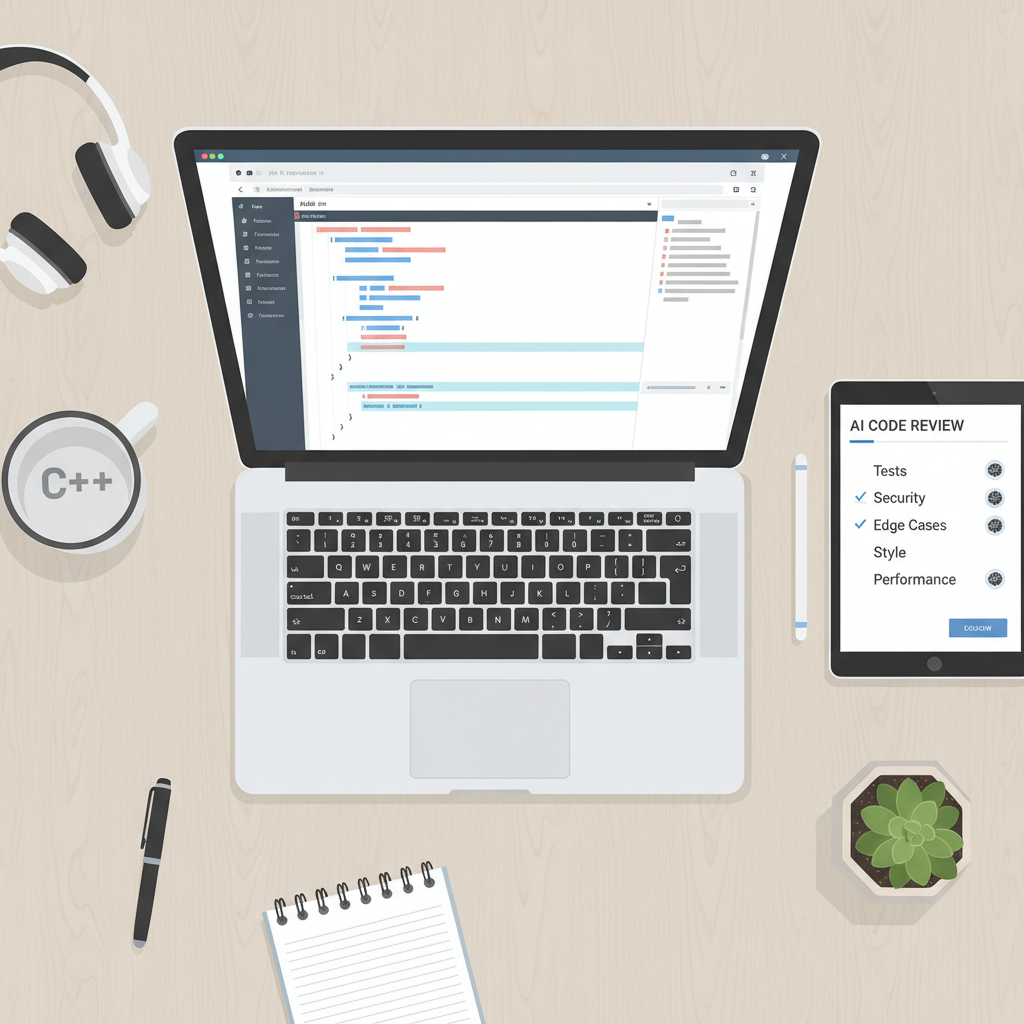
Code generation best practices: review like you mean it
If Vibe Coding fails in production, it’s usually because review became “skim and trust.” Treat AI output as if it came from an unfamiliar contributor: you assume good intent, but you verify everything important.
A lightweight AI code review process
- Read for intent: does it match the spec, or solve a different problem?
- Scan boundaries: input validation, auth checks, external calls, retries/timeouts.
- Check hidden state: caching, globals, concurrency, side effects.
- Look for “too clever”: unnecessary abstractions that will hurt maintenance.
- Run tests locally: avoid “it compiles” as a success bar.
According to Google, effective code review practices focus on correctness, readability, and maintainability, which becomes even more important when code is generated quickly and merged quickly.
Common mistakes that make Vibe Coding feel worse over time
When people say Vibe Coding “stopped working,” it’s often because the project accumulated invisible debt. A few patterns show up again and again.
- Over-prompting: giant prompts invite the model to invent details you didn’t confirm.
- No shared conventions: mixed styles, duplicate helpers, inconsistent error handling.
- Skipping tests early: you pay later, usually at the worst moment.
- Letting AI pick dependencies: it may choose libraries you can’t support long-term.
- Copying secrets into prompts: treat prompts like data that may be logged or retained.
That last point matters in the US for practical reasons: company policies, client contracts, and privacy expectations vary, so it’s usually wise to follow internal security guidance and avoid sending proprietary code or credentials to tools you haven’t approved.
Key takeaways and a sensible next step
Vibe Coding is most useful when you treat it as disciplined collaboration, not magic. Keep prompts specific, generate in small slices, and anchor everything in tests and review.
If you want to try it this week, pick a low-risk task, write a one-paragraph intent block, ask the model for a plan, then merge only after you can explain the change and your tests pass. That’s where the “vibe” becomes real productivity instead of future cleanup.
Key points
- Speed comes from iteration, not from trusting the first draft.
- Human-in-the-loop development is the safety rail that makes this sustainable.
- Prompt quality is mostly context quality: constraints, inputs/outputs, and non-goals.
- AI code review process should focus on boundaries, correctness, and maintainability.
FAQ
Is Vibe Coding the same as using GitHub Copilot or ChatGPT?
It overlaps, but it’s more of a workflow than a tool. You can Vibe Code with any assistant that supports natural language to code, the difference is how you scope work, validate output, and keep ownership.
What’s the best way to start Vibe Coding on an existing codebase?
Start with tests or small refactors, not core business logic. Give the model a focused file and a clear acceptance checklist, then keep changes small so review stays honest.
How do I write prompts that don’t produce “almost correct” code?
State inputs/outputs with examples, list constraints, and ask clarifying questions first. “Almost correct” usually means the model filled missing requirements with guesses.
Does AI pair programming replace code reviews?
In most teams, no. Pair programming with AI can reduce routine work, but review still catches integration issues, security gaps, and maintainability problems that prompts don’t reliably prevent.
How do I prevent security issues in AI-generated code?
Pay extra attention to authentication, authorization, and input validation, then add tests around those boundaries. For higher-risk systems, it’s reasonable to involve a security reviewer or follow a formal secure SDLC process.
What should I never put into an LLM prompt?
Avoid secrets, private keys, credentials, and sensitive customer data. If you’re unsure what counts as sensitive in your environment, follow your company policy or ask a security or compliance owner.
When is Vibe Coding a bad idea?
If requirements are unclear and you can’t verify behavior cheaply, or if you’re working in high-stakes areas like payments, medical, or safety-critical systems, you may want a more traditional approach with deeper review and domain experts.
If you’re trying to adopt Vibe Coding on a team, it often helps to standardize a few prompt templates, define a simple review checklist, and agree on what tasks are “AI-friendly” versus “needs deeper engineering,” it’s a small amount of process that keeps the speed without the chaos.